Integrating Legacy AV Systems with Modern Technology: Migration Strategies That Work
Existing AV investments don't need wholesale replacement. Learn how to bridge legacy and modern systems, plan practical migrations, and maximize the value of equipment you already own.
"We need to modernize, but we can't afford to replace everything" is a conversation we hear constantly. The good news? You probably don't need to replace everything. Modern AV technology can integrate with—not replace—existing systems through thoughtful planning and strategic implementation. Here's how to modernize while protecting your investment and maintaining operational continuity.
Assessment: Understanding What You Have
Integration outcomes are determined by the clarity of the starting baseline. Begin with a comprehensive inventory: model numbers, firmware versions, control interfaces, signal paths, and physical conditions. Identify which devices are reliable and still meet requirements—replacement should be reserved for genuine constraints, not novelty. Document the pain points that actually impede operations: unsupported platforms, frequent failures, or incompatible formats. Map connectivity to understand what can bridge and what requires replacement. Finally, understand vendor support horizons—devices approaching end‑of‑support might be kept temporarily, but cannot anchor a long‑term plan.
Bridge Technologies: Making Old and New Work Together
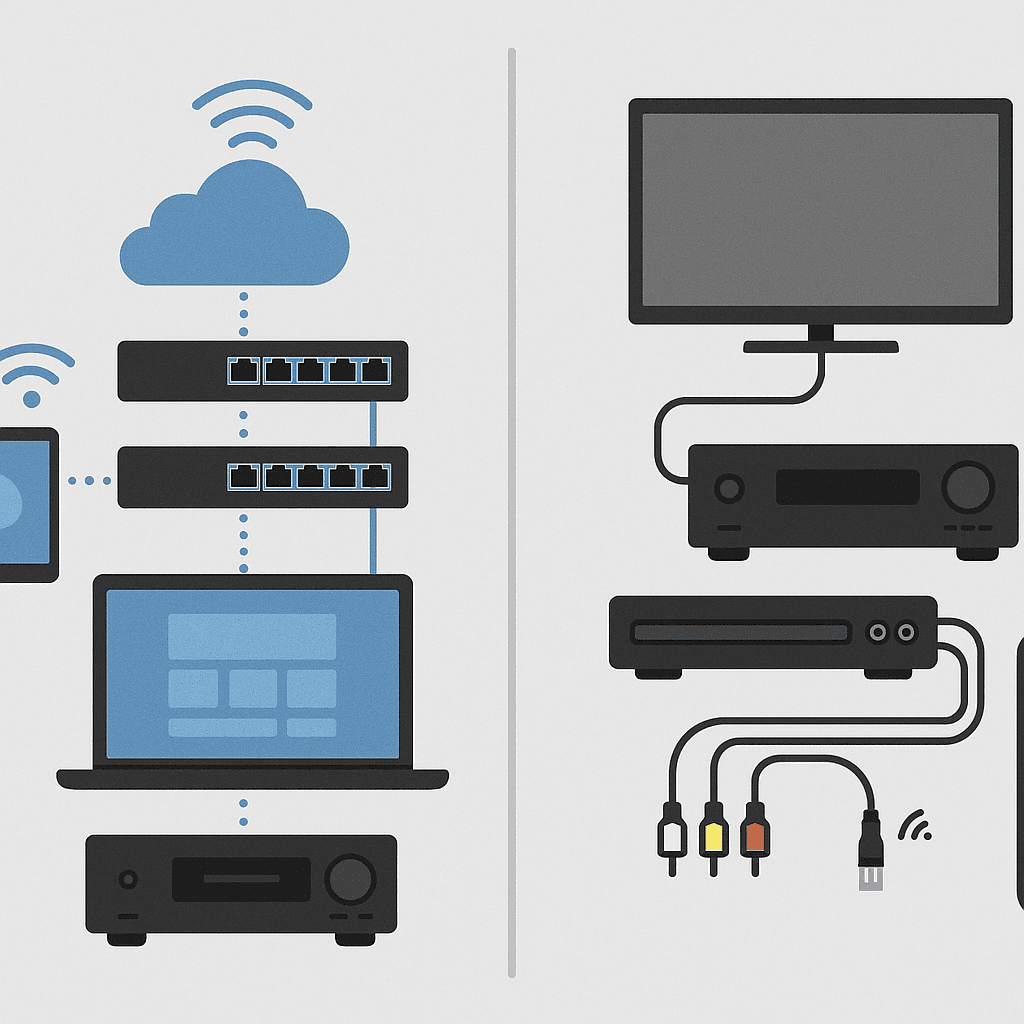
Bridge devices often unlock disproportionate value. High‑quality scalers reconcile mismatched resolutions and timings between legacy sources and modern displays. Robust signal converters bridge analog/digital, SDI/HDMI, or proprietary transports. Control processors can speak RS‑232, IR, and relay to maintain operability of older gear while presenting a modern interface. Serial‑over‑IP adapters bring once‑isolated devices into managed networks for monitoring and automation. These small investments extend useful life and create breathing room for phased upgrades.
Phased Migration: The Practical Approach
Migrating in phases preserves continuity and spreads cost. A typical sequence modernizes control first—delivering immediate UX gains while maintaining legacy endpoints. Next, refresh distribution infrastructure (matrices or AV over IP) so future devices can plug in without redesign. Displays and projectors follow on failure or scheduled refresh, and sources are last because they're easiest to replace incrementally. Throughout, maintain a working state between phases so users never lose capability.
Prioritization: Where to Focus First
Prioritize where user experience and risk intersect. Update user‑facing layers—control, wireless presentation, conferencing—because they deliver immediate value and reduce support load. Retire devices that frequently fail or create security exposure. Replace bottlenecks that block required capabilities (e.g., 1080p‑only displays in a 4K workflow). Consider operating costs: older projection often consumes far more power and lamps than modern laser alternatives; lifecycle savings can fund upgrades.
Hybrid Architectures: Best of Both Worlds
Intentional hybrids preserve value while modernizing experience. Keep functional projection but add modern control and wireless presentation. Maintain traditional video routes inside rooms while adopting IP audio for zoning and flexibility. Use gateway devices so legacy equipment appears in a contemporary control interface. Upgrade flagship rooms fully and refresh secondary rooms incrementally. Hybrids are not compromises; they are targeted, budget‑aware solutions.
Planning for the Future
Future‑proofing is architectural. Provide conduit and cable paths generously; upgrades are easy when pathways exist. Favor modular systems so components change without cascading redesign. Choose standards‑based platforms to maintain interoperability. Scale should mean adding endpoints, not replacing cores. Above all, document decisions so future teams understand the system's shape and intent.
Common Pitfalls to Avoid
Avoid these common mistakes that derail integration projects:
Over‑replacement: Don't replace working equipment just because it's old. Focus on actual constraints and user pain points.
Under‑planning: Integration requires more planning than new construction. Account for compatibility testing, user training, and transition periods.
Ignoring User Experience: Technical integration means nothing if users can't operate the system. Prioritize intuitive interfaces and comprehensive training.
Skipping Documentation: Future maintenance depends on clear documentation of what was changed and why.
Rushing the Process: Integration takes time. Rushing leads to mistakes, rework, and frustrated users.
Conclusion
Legacy integration isn't about making old technology work forever—it's about maximizing value while modernizing strategically. The goal is operational continuity, not technical perfection. By assessing what you have, using bridge technologies, migrating in phases, and planning for the future, you can modernize your AV systems without breaking the bank or disrupting operations.
The key is to think of integration as a bridge, not a destination. You're not trying to make legacy systems last forever; you're buying time to modernize thoughtfully and cost‑effectively. With the right approach, you can have modern capabilities today while building toward a fully modern system tomorrow.
Key Takeaways
- •Assess existing systems comprehensively before planning integration.
- •Use bridge technologies to extend the life of functional legacy equipment.
- •Migrate in phases to preserve continuity and spread costs.
- •Prioritize user‑facing upgrades and high‑risk components first.
- •Design hybrids intentionally and document them for future evolution.