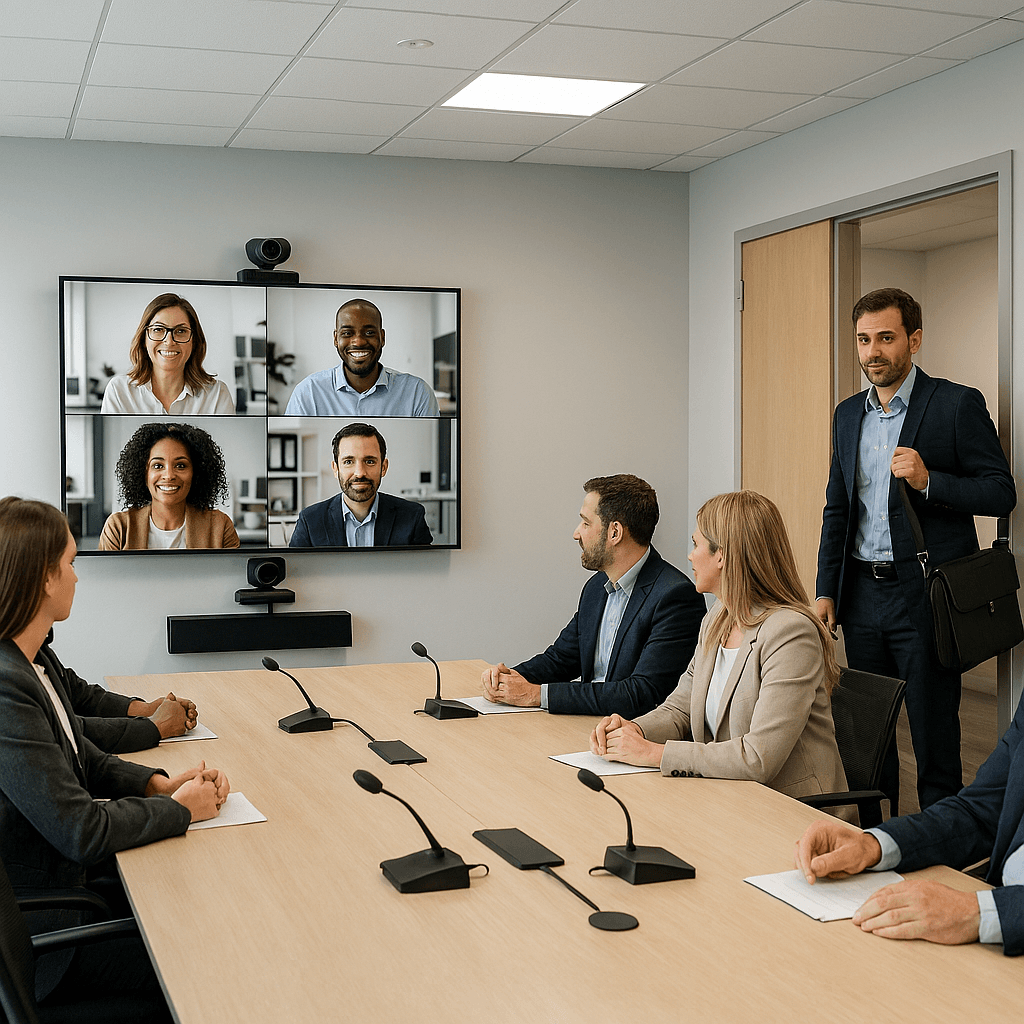
The Perfect Meeting Room: Design Principles for Modern Collaboration
Great meeting rooms don't happen by accident. Learn the design principles that create spaces where technology enhances collaboration instead of getting in the way.
The perfect meeting room isn't about having the latest technology—it's about creating an environment where people can focus on each other and the work at hand. Technology should be invisible until it's needed, then work flawlessly. Here are the design principles that separate great meeting rooms from mediocre ones.
Acoustics: The Foundation of Communication
Poor acoustics kill collaboration. Background noise, echo, and reverberation make it hard to hear and be heard, leading to fatigue and miscommunication. Good acoustics start with room shape—avoid square rooms and parallel walls that create standing waves. Use acoustic treatment strategically: absorptive materials on walls and ceilings to control reverberation, and diffusive elements to break up sound patterns. Consider the noise floor: HVAC, lighting, and equipment should be quiet enough that they don't interfere with conversation.
Lighting: Supporting Both People and Technology
Lighting affects both human comfort and technology performance. Natural light is ideal, but it needs to be controlled to avoid glare on displays and cameras. Use dimmable LED fixtures with high color rendering index (CRI) for accurate color representation. Position lights to illuminate faces evenly without creating shadows or hotspots. Consider the camera's perspective: lighting that looks good to the human eye might not work for video conferencing.
Display Placement: Optimizing for All Users
Display placement determines how well information is shared. Position displays so they're visible to all participants without causing neck strain. Consider both in-room and remote participants—displays should be visible to cameras for screen sharing. Use appropriate screen sizes for the room and viewing distance. Multiple displays can improve collaboration by allowing different content to be shown simultaneously.
Camera Positioning: Making Remote Participants Feel Present
Camera placement is crucial for video conferencing. Position cameras at eye height to create natural eye contact. Use wide-angle lenses to capture all participants without distortion. Consider multiple cameras for larger rooms. The camera should be close enough to the display that remote participants appear to be looking at in-room participants, not at the ceiling.
Control Systems: Making Technology Invisible
Control systems should be intuitive and reliable. Use simple, consistent interfaces across all rooms. Provide both physical and digital controls for flexibility. Consider user training and support—the best system is useless if people can't operate it. Provide clear feedback when systems are working or need attention.
Furniture and Layout: Supporting Different Meeting Types
Furniture should support the types of meetings the room will host. Provide flexible seating that can be rearranged for different group sizes and meeting styles. Ensure all participants can see displays and cameras. Consider power and connectivity needs—participants should be able to plug in devices easily.
Conclusion
The perfect meeting room is one where technology enhances collaboration without getting in the way. It's acoustically comfortable, well-lit, and equipped with displays and cameras positioned for optimal communication. The control system is intuitive and reliable, and the furniture supports different meeting styles.
But most importantly, the perfect meeting room is one that people want to use. It's comfortable, functional, and makes both in-person and remote collaboration feel natural and effortless.
Key Takeaways
- •Acoustics are the foundation of good communication—invest in proper treatment.
- •Lighting affects both human comfort and technology performance.
- •Position displays and cameras to optimize visibility for all participants.
- •Control systems should be intuitive and reliable.
- •Furniture and layout should support different meeting types.
- •Position cameras at eye height and light for faces to preserve presence.
- •Standardize archetypes, interfaces, and operations to scale quality.